When teams first build with LLMs, they usually send every request to the biggest, most capable model available. It works — until the monthly bill arrives, or latency starts hurting the user experience.
A clear trend in production AI is moving away from "one big model for everything" towards using the smallest model that does the job well, and routing harder requests to larger models only when needed.
Why smaller models are worth a look
Every major provider now offers model families in several sizes, and open-weight models in the small-to-medium range have become genuinely capable. Smaller models offer:
- Lower cost per request — often by a large margin.
- Lower latency — faster responses for interactive features.
- More deployment options — some can run on your own infrastructure or even on-device, which helps with data privacy and compliance.
The trade-off: they're weaker at complex, multi-step reasoning and long, nuanced documents.
Which tasks suit a small model?
In my experience, a large share of real production traffic is narrow and well-defined:
- Classification — routing a support ticket, tagging content, detecting intent.
- Extraction — pulling fields from documents into JSON.
- Short, constrained generation — titles, summaries, rewriting in a given tone.
- Pre- and post-processing — query rewriting for search, checking output format.
These are exactly the tasks where a smaller model, given a good prompt and a few examples, often performs close to a large one.
Tasks that usually still need a large model: complex reasoning, long-document analysis, agentic planning, and anything where quality differences are visible to users.
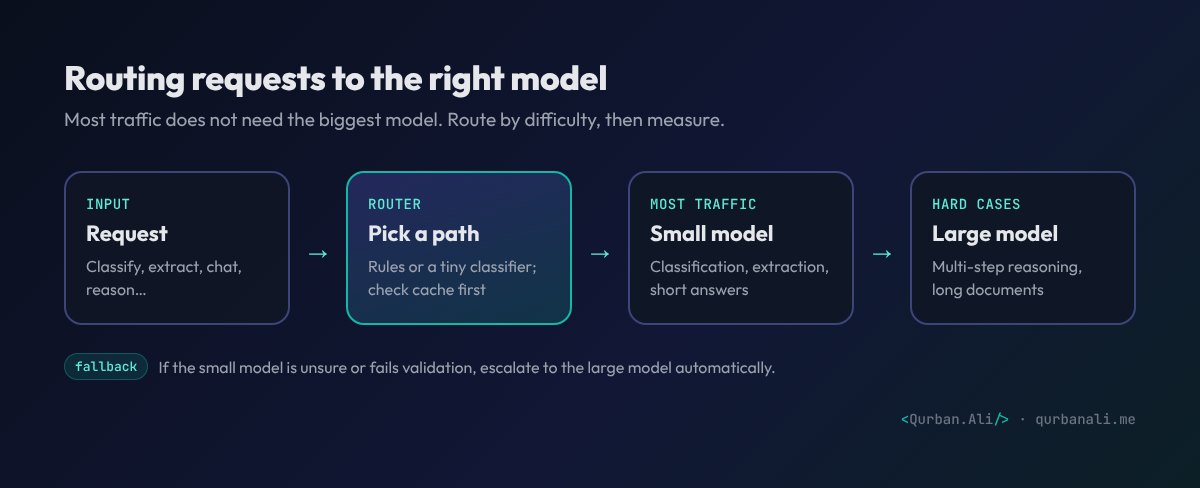
Model routing: the best of both
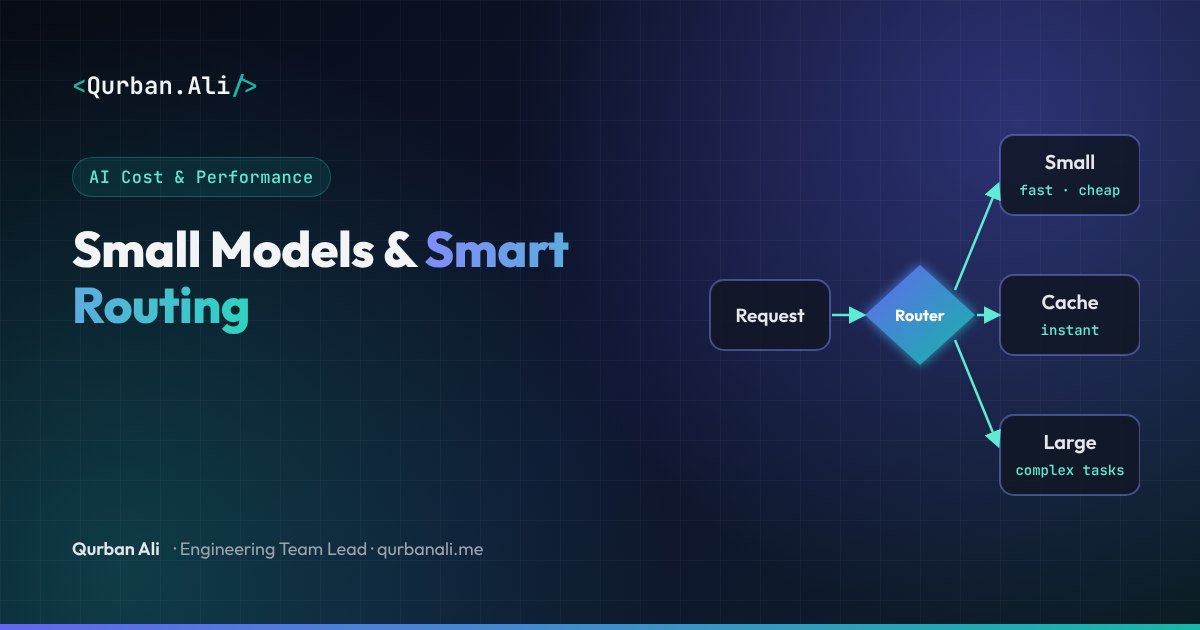
Model routing sends each request to the most appropriate model:
- Check the cache first. Identical or near-identical requests don't need a new generation.
- Route by task type. Simple rules ("extraction → small model") cover a lot.
- Route by difficulty. A lightweight classifier can estimate whether a request needs the large model.
- Fall back automatically. If the small model's output fails validation or it signals low confidence, retry with the large model.
Other cost and speed levers
- Prompt caching: many providers discount repeated prompt prefixes — keep long system prompts and reference documents stable and at the start.
- Batch processing: for non-urgent work (nightly reports, bulk document processing), batch APIs are typically much cheaper.
- Shorter prompts and outputs: trim unnecessary instructions and ask for concise, structured responses.
- Better retrieval: sending five highly relevant passages beats sending fifty loosely related ones — cheaper and more accurate.
How to switch safely
Don't downgrade a model on instinct. Use your eval set (see LLM Evals):
- Run the current large model and the candidate small model on the same test set.
- Compare quality, cost and latency per task type.
- Move the task types where the small model holds up; keep the rest on the large model.
- Monitor production quality after the switch.
The bottom line
The right question isn't "which model is best?" but "which model is best for this specific task, at this cost and speed?" Treat models as interchangeable components, measure them with evals, and route deliberately. It's one of the highest-impact optimisations available to any AI product today.
Want to cut your AI costs without hurting quality? Let's talk.