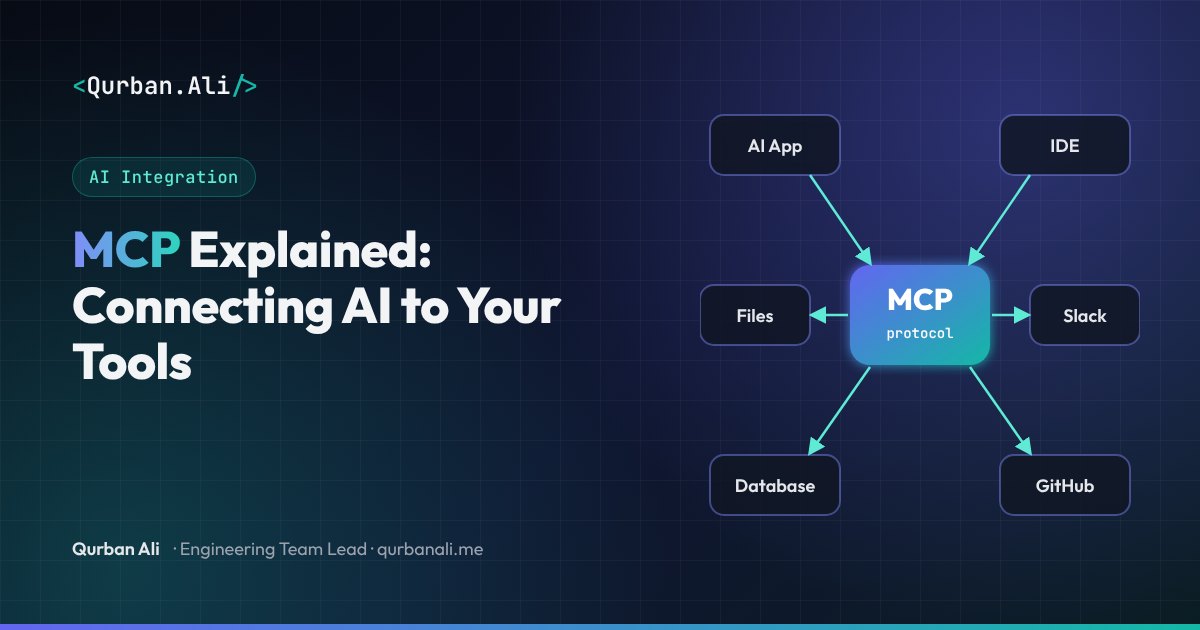
Every useful AI feature needs context and tools: access to your files, your database, your tickets, your CRM. Until recently, every AI application had to build a custom integration for every one of those systems. Ten AI tools and twenty data sources meant up to two hundred bespoke connectors.
The Model Context Protocol (MCP) fixes that. Introduced by Anthropic as an open standard in late 2024, it has since been adopted across the industry — by AI assistants, IDEs and developer tools from many vendors. It's often described as "USB-C for AI applications": one standard plug between AI apps and the systems they need.
What MCP is, in one sentence
MCP is an open protocol that standardises how AI applications connect to external tools and data, so any MCP-compatible app can use any MCP server.
Build an integration once as an MCP server, and it works with every AI application that speaks MCP.
How it works
MCP has three roles:
- Host — the AI application the user interacts with: a chat assistant, an IDE, or your own product.
- Client — a component inside the host that manages a connection to one server.
- Server — a small service that exposes a specific system (GitHub, a database, your internal API) to AI applications.
Clients and servers talk using JSON-RPC, either locally over standard input/output or remotely over HTTP.
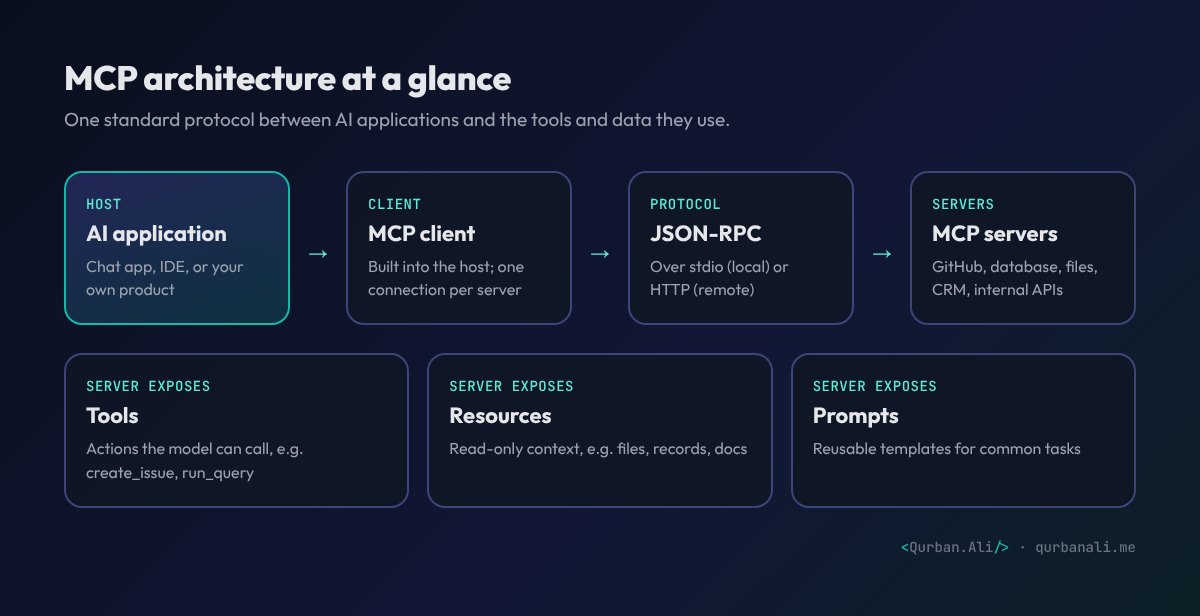
What an MCP server exposes
A server can offer three kinds of capability:
- Tools — actions the model can take, such as
create_issue,run_sql_queryorsend_invoice. Each tool has a name, description and input schema. - Resources — read-only context the application can load, such as files, database records or documentation.
- Prompts — reusable templates for common tasks, such as "summarise this pull request".
The AI application discovers what a server offers at runtime, so adding a new capability doesn't require changing the host.
Why it matters for businesses
- Build once, use everywhere. An MCP server for your internal system works in the AI tools your team already uses — and in your own product.
- Less vendor lock-in. Switching AI providers doesn't mean rewriting every integration.
- A growing ecosystem. Ready-made MCP servers exist for many popular services, so you often don't need to build from scratch.
- Cleaner architecture. Integration logic lives in focused, testable services instead of being scattered through prompt code.
Security: the part not to skip
MCP makes it easy to give AI access to powerful systems — which is exactly why security deserves attention:
- Authenticate remote servers properly (the specification supports OAuth-based authorisation) and scope tokens to the minimum access needed.
- Prefer read-only tools unless writes are essential, and require user confirmation for destructive actions.
- Only install servers you trust. A malicious or compromised server can feed the model harmful instructions or exfiltrate data.
- Treat tool outputs as untrusted. Content from emails, web pages or tickets can contain prompt-injection attempts.
- Log every tool call for auditing.
When should you build an MCP server?
Build one when:
- Your team wants to use internal data or actions inside AI assistants and IDEs they already use.
- You're building an AI feature and want integrations that are reusable and model-agnostic.
- You offer a product or API and want it to be easy for customers' AI agents to use.
Start small: one server, two or three read-only tools, clear descriptions, and proper authentication. Expand once it's proving useful.
Want to connect your systems to AI assistants with MCP? Get in touch.