Most companies now have an AI chatbot on their website. Many of them are worse than the FAQ page they replaced: they invent policies, loop on "Can you rephrase that?" and trap frustrated customers with no way to reach a person.
A good support bot is not a clever prompt. It's a small, well-designed system. Here's the architecture I use, and the mistakes I try hard to avoid.
Start with the job, not the model
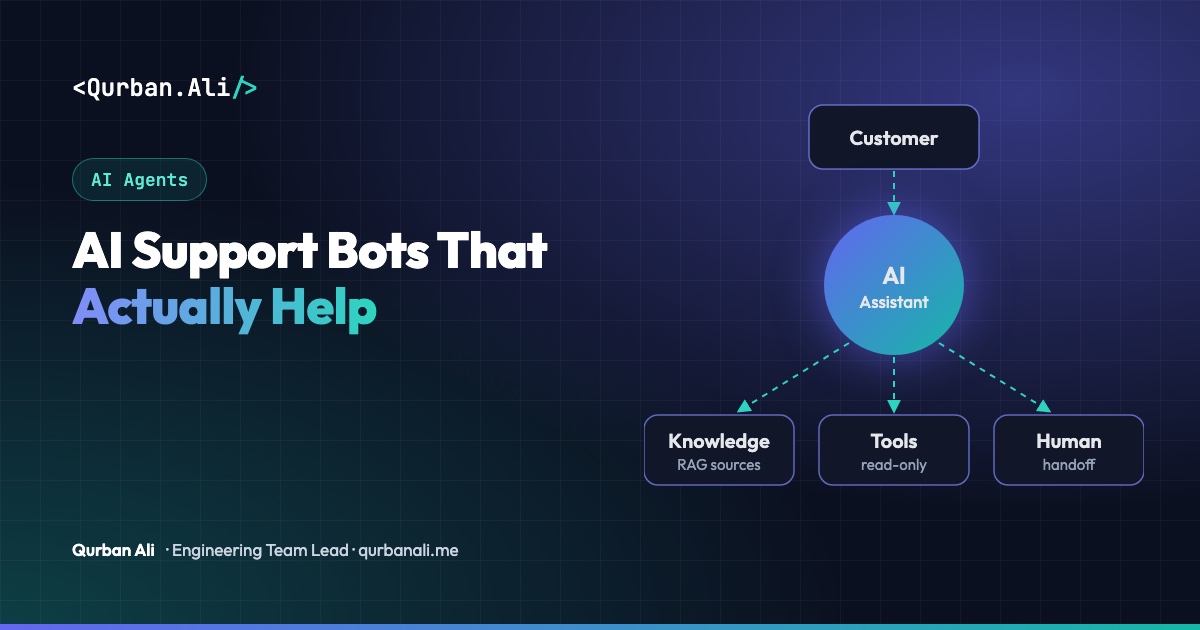
Before choosing a model, write down what the bot is allowed to do:
- Answer questions from approved content (help articles, policies, product docs).
- Look up account-specific information through safe, read-only tools (order status, plan, invoice dates).
- Act on a short list of low-risk tasks (resend an invoice, update an address) — each behind explicit confirmation.
- Hand off everything else to a human, with context.
Anything not on the list is out of scope. This one page prevents most bad behaviour later.
The architecture
1. Retrieval over approved knowledge (RAG). The bot should answer from your content, not from the model's memory. Index help-centre articles and policies, retrieve the most relevant passages for each question, and instruct the model to answer only from them — and to say so when the answer isn't there. Link the source article in every answer so customers can verify it.
2. Tools with strict permissions.
Give the bot narrow tools (get_order_status(order_id)), not broad ones (run_sql(query)). Tools should run with the customer's own permissions, validate every input, and never expose another customer's data. For anything that changes data, show what will happen and ask for confirmation first.
3. Guardrails on the way in and the way out.
- Detect and refuse prompt-injection attempts ("ignore your instructions…").
- Mask personal data (card numbers, passwords) before it reaches logs or the model.
- Check answers for policy promises the bot must never make — refunds, legal or medical advice, prices that aren't in the source.
4. A real human handoff. Escalate when the customer asks for a person, when confidence is low, when the topic is sensitive (billing disputes, complaints, cancellations), or after two failed attempts. Pass the conversation summary and the facts already collected, so the customer never repeats themselves.
5. Memory, carefully. Within a conversation, keep context. Across conversations, store only what is useful and agreed — such as account ID and open ticket — with a clear retention period. Don't keep chat transcripts forever "just in case".
Measure what matters
Deflection rate alone is a trap: a bot that refuses to escalate "deflects" a lot of angry customers. Track a balanced set:
- Resolution rate — conversations solved without a human and without the customer coming back within a few days.
- Escalation quality — did the agent who took over have what they needed?
- Answer accuracy — a weekly sample of conversations reviewed against the source content.
- Customer satisfaction — a one-click rating at the end of each conversation.
Turn reviewed failures into an evaluation set and run it on every prompt, model or content change, exactly like a regression test suite.
Common mistakes
- Letting the model improvise policy. If the refund policy isn't in the retrieved text, the bot shouldn't describe one.
- Hiding the human option. Customers forgive a bot that hands off quickly; they don't forgive one that blocks them.
- Stale content. The bot is only as good as the help centre. Assign an owner and review articles on a schedule.
- No audit trail. Log tool calls and the sources behind each answer so you can explain any reply.
- Launching to everyone on day one. Start with one topic or one channel, review every conversation, then expand.
The bottom line
A support bot earns trust by being accurate, honest about its limits and quick to bring in a person. Get retrieval, permissions, guardrails and handoff right, measure resolution rather than deflection, and the model choice becomes the easy part.
Building an AI assistant for your customers or your support team? Let's talk.